Home / Product
What Ferrisis does
The five parts schools ask about first, in detail, and then the rest of the school office. Everything on this page works in the software today.
Question papers
A teacher can start a paper in two ways, and finish it in the same editor.
From the textbook
- Pick the class, the subject and the chapters you have taught.
- Questions come from the book’s own end-of-chapter exercises, easiest first, the way MP Board schools set unit tests.
- MP Board and CBSE blueprints decide the sections, the marks and the kinds of question.
- NCERT and MP Board textbooks are already on the shelf. No AI is used for this.
From a photo, even of a handwritten paper
- Photograph a printed or handwritten paper. Ferrisis reads it back as a typed paper, sections and marks in place.
- Several papers can go in one upload; each is read on its own.
- This uses AI. The price is shown before it starts and comes from your school’s AI balance.
Then
- Edit it like a document, with your school’s own header at the top.
- Make Set B and a teacher’s copy from the same paper.
- Download it as a PDF or as a Word file.
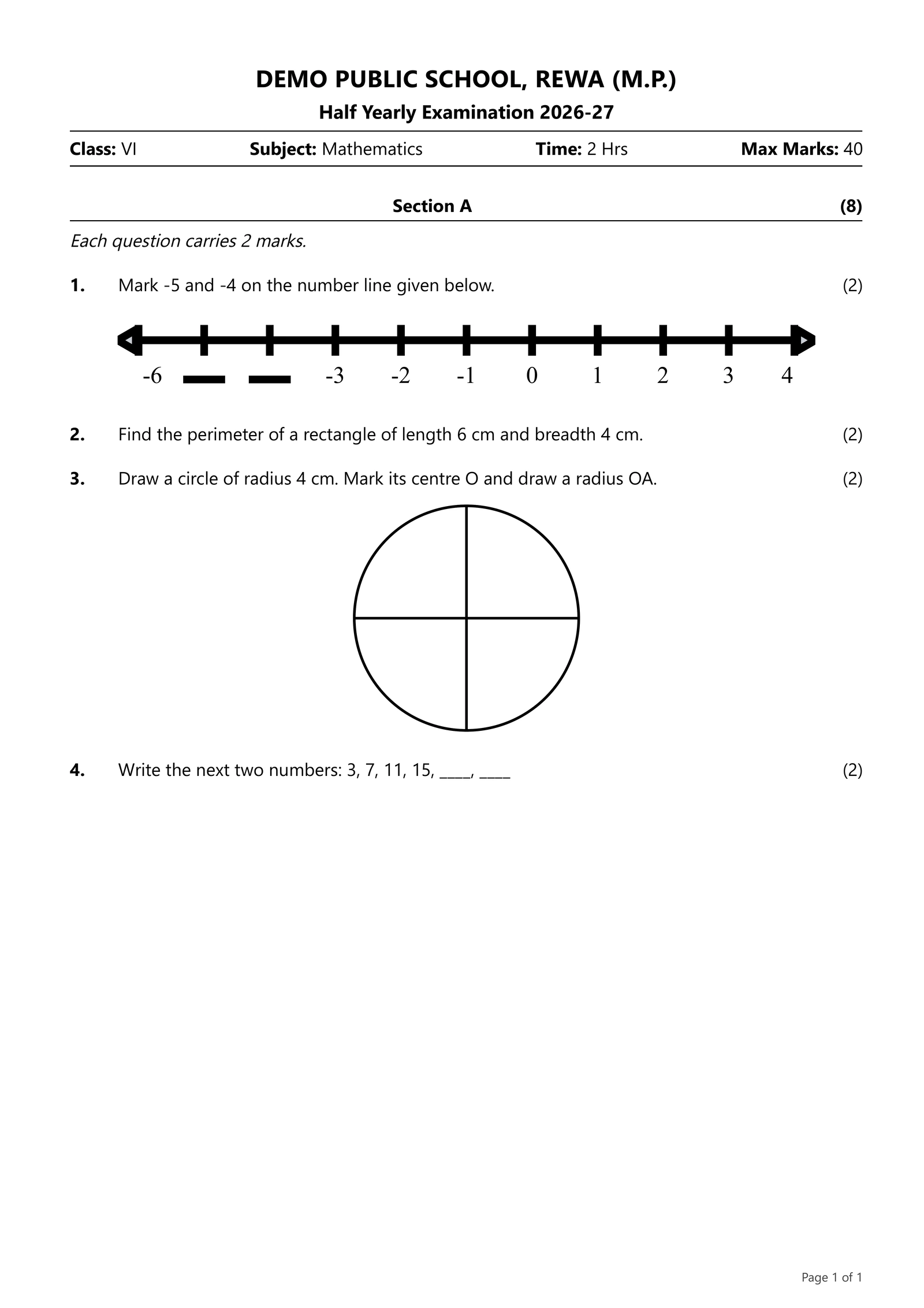
A paper from the textbook
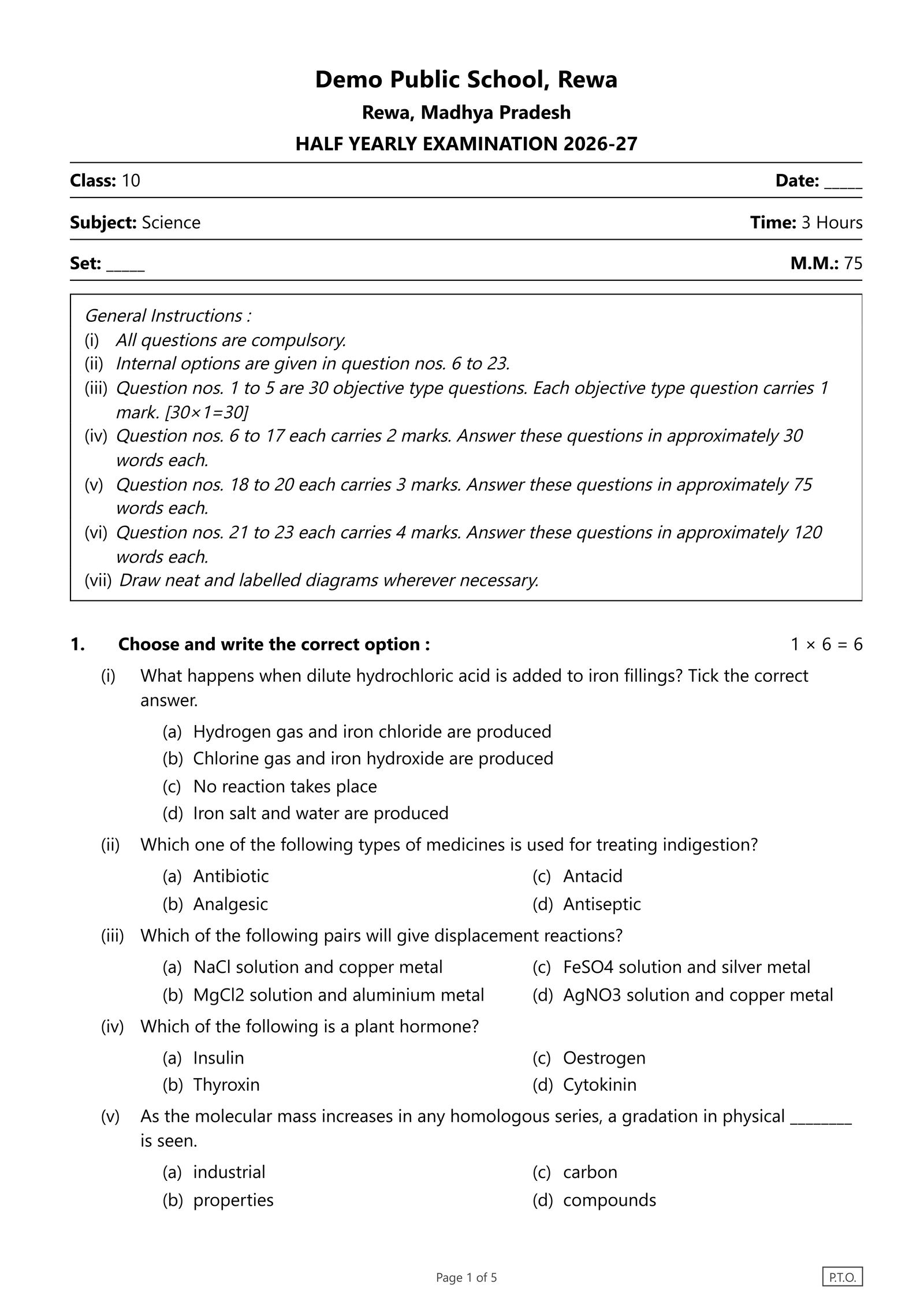 Page 1 of 5, as it prints
What goes in
The class, the subject and the chapters taught so far. The textbook is already on the shelf.
What comes out
A paper in the board’s pattern, its questions taken from the book’s own exercises, with an answer key and a Set B.
- This one is Class 10 Science, half yearly: 75 marks in 23 questions, set out the MP Board way.
- 1,118 textbooks are already read, Nursery to Class 12.
- No AI is used, so it costs nothing.
A handwritten paper, read and printed
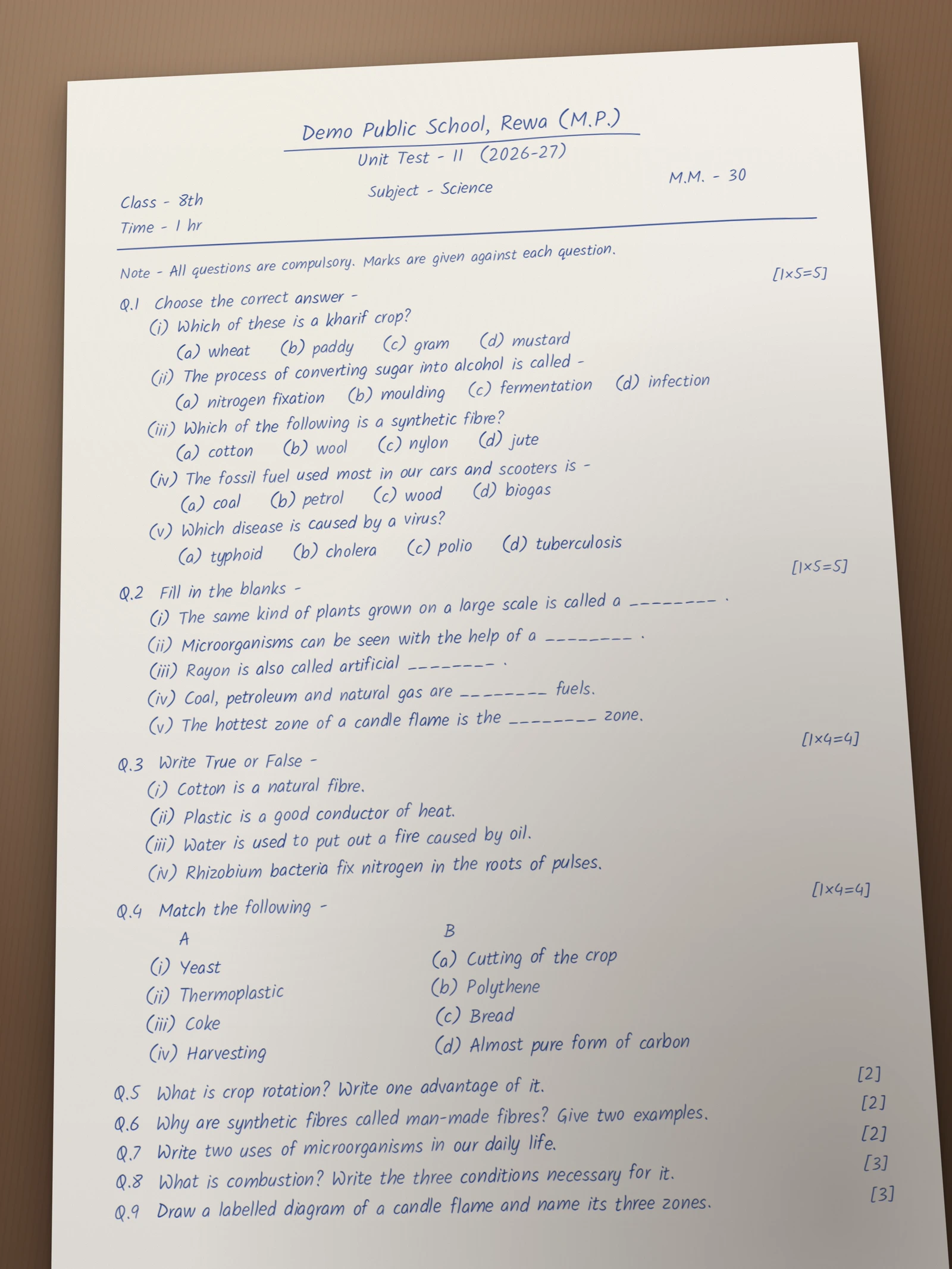 The teacher’s page, photographed
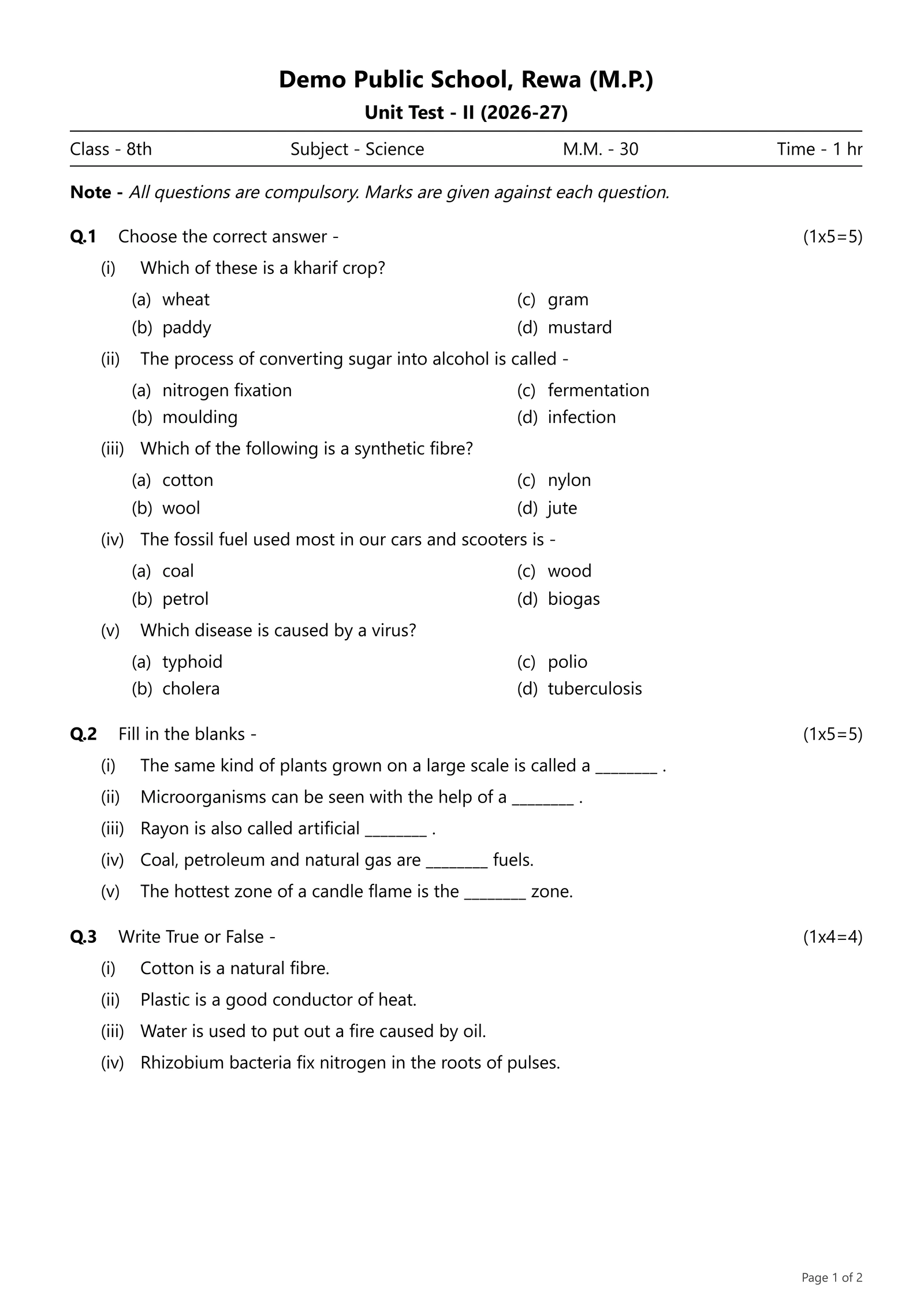 Page 1 of what Ferrisis printed
What goes in
A phone photo of the paper a teacher wrote by hand.
What comes out
The same paper typed and printed: every question, option and mark in its place, ready to change like a Word file.
- The price was shown before the reading began: ₹7.85. It cost ₹4.07, from the school’s own AI balance.
- Reading the photo is the only step that uses AI. Printing it again costs nothing.
Exam Cell
Enter the classes and their papers once. Exam Cell plans the time table, seats every student room by room, shares out invigilation duty and prints what the exam needs.
- Two classes sit like a chessboard, so the same class never sits side by side.
- Practicals have their own batches, labs and examiners.
- A student marked absent on an exam day reaches marks entry as AB.
- Each teacher sees only their own duties.
- Every sheet comes in several ready looks, or in your school’s own format, even a Word file you already use.
The twenty sheets it prints
- Time table
- Class-wise time table
- Admit cards
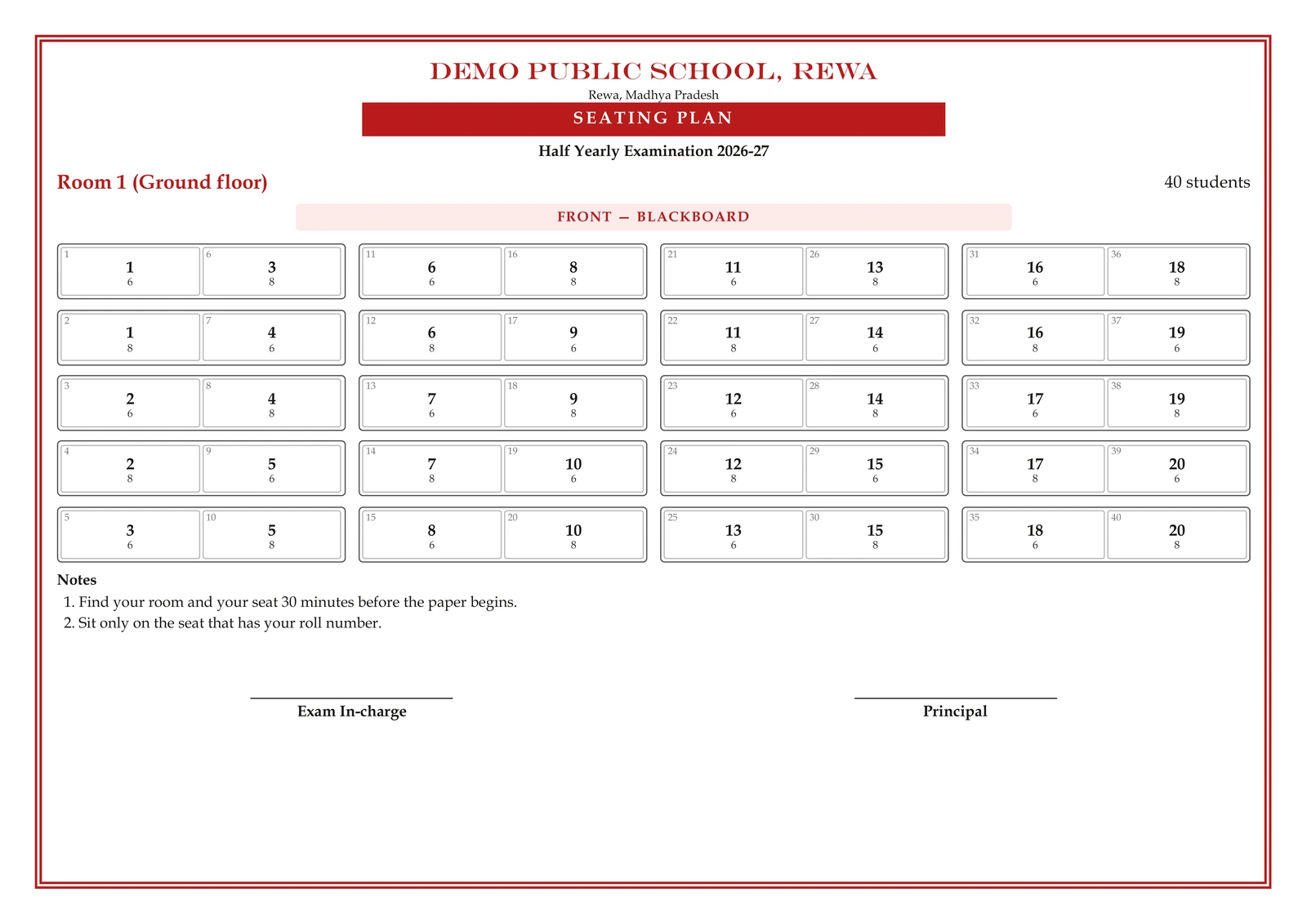
- Seating plan
- Room chart
- Door sheets
- Duty chart
- Duty slips
- Attendance sheets
- Practical schedule
- Student list with photos
- Verification slips
- Photo sheet
- Missing details
- Award lists
- Question paper count
- Packet slips
- Absentee statement
- Principal’s declaration
- SC/ST fee waiver list
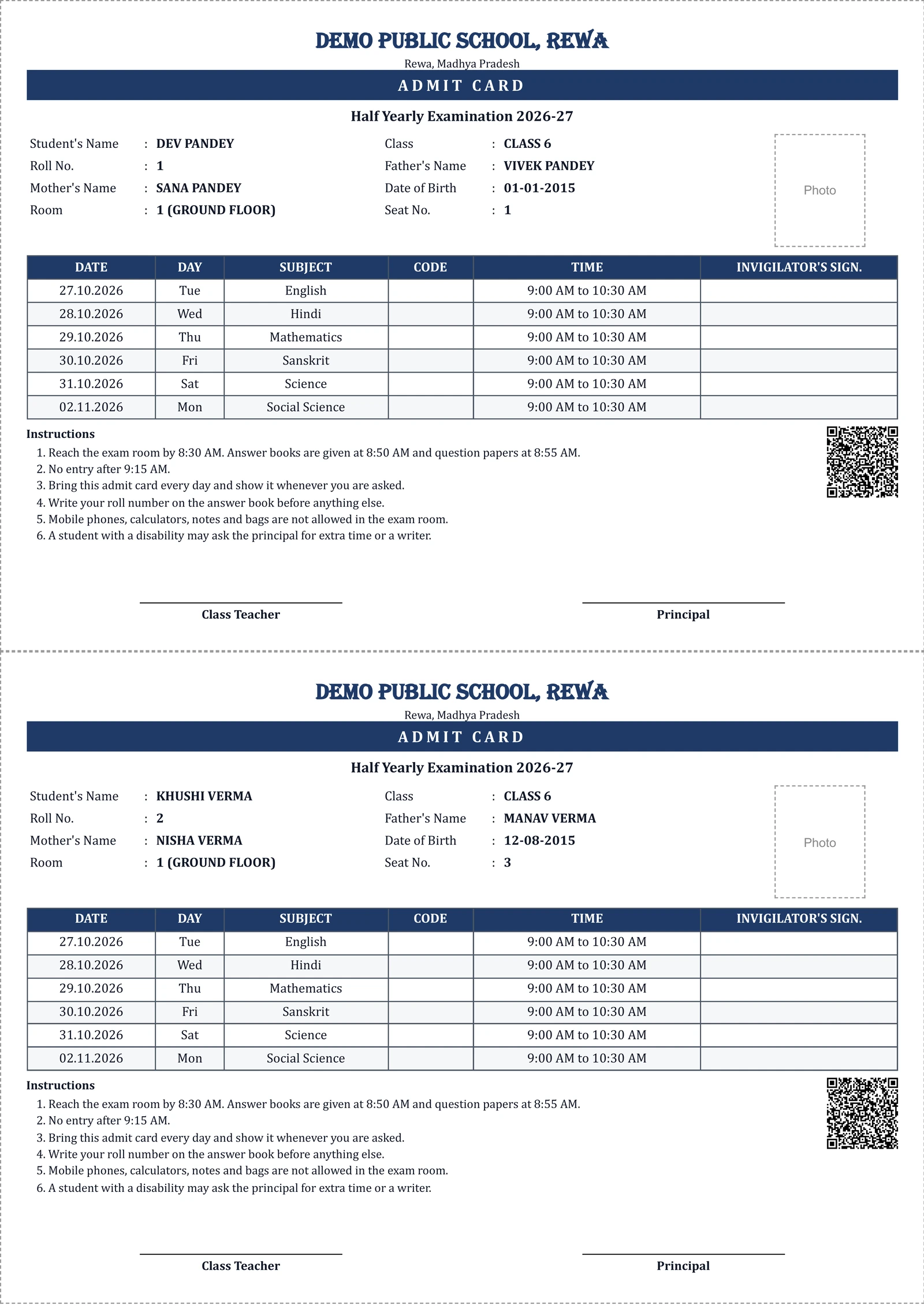
The same admit card in six looks
A look changes every sheet of the exam at once: the time table, the admit cards, the seating plan and the rest.
Parinam Patrak
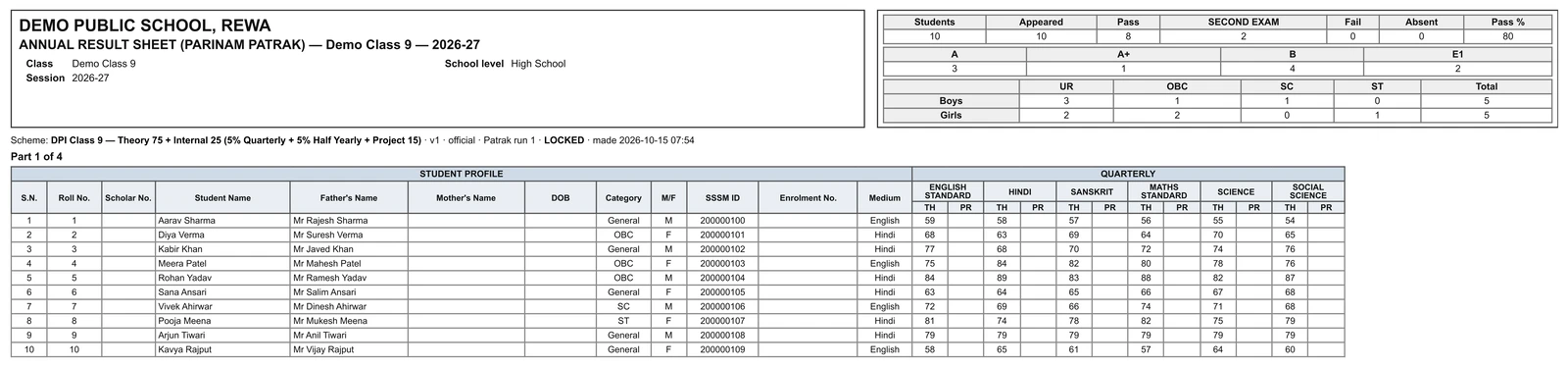
Marks go in once. Ferrisis works out every total, grace mark, supplementary and division by the scheme the class follows, and prints the patrak the way the board expects it.
- Late admissions, transfers, withheld results and grace limits are handled.
- Your school’s own patrak can be checked against ours, line by line.
- The sheets the EMS 3.0, RSK and MPBSE portals ask for, and DEO pro forma 1 to 3, Sankhyiki Patrak and Vimarsh.
- Merit and notice lists, and results compared by teacher, by term and year on year.
- A finished patrak is locked as a PDF with a fingerprint (SHA-256), so a changed copy shows itself.
- Tried with a class of 800 students: worked out in under 3 seconds, printed in about 8.
| Scheme | Classes | How the marks add up |
|---|---|---|
| DPI | Class 9 | Theory 75 + internal 25 (5% quarterly, 5% half yearly, project 15) |
| DPI | Class 11 | 5% quarterly + 5% half yearly + 90% annual, theory and practical apart |
| RSK | Classes 5 and 8 | Half yearly 20 + annual written 60 + project 20 |
| RSK | Classes 3, 4, 6 and 7 | Monthly 10 + Pratibha Parv 20 + annual written 60 + project 10 |
| MPBSE | Classes 10 and 12 | The school’s own marks, laid out the way the board’s portal asks |
| Your own | Any class | Copy a scheme and change it, then try it on a class before keeping it |
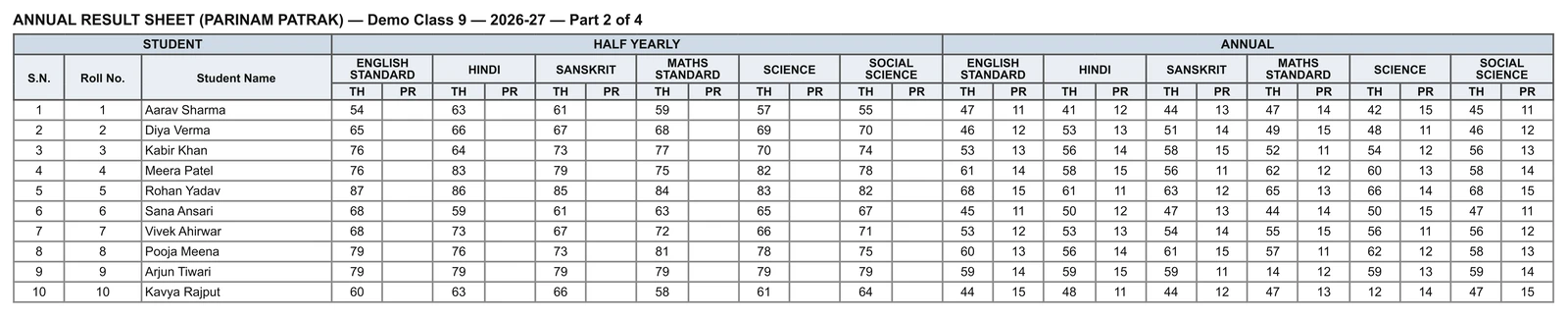
The patrak as it prints
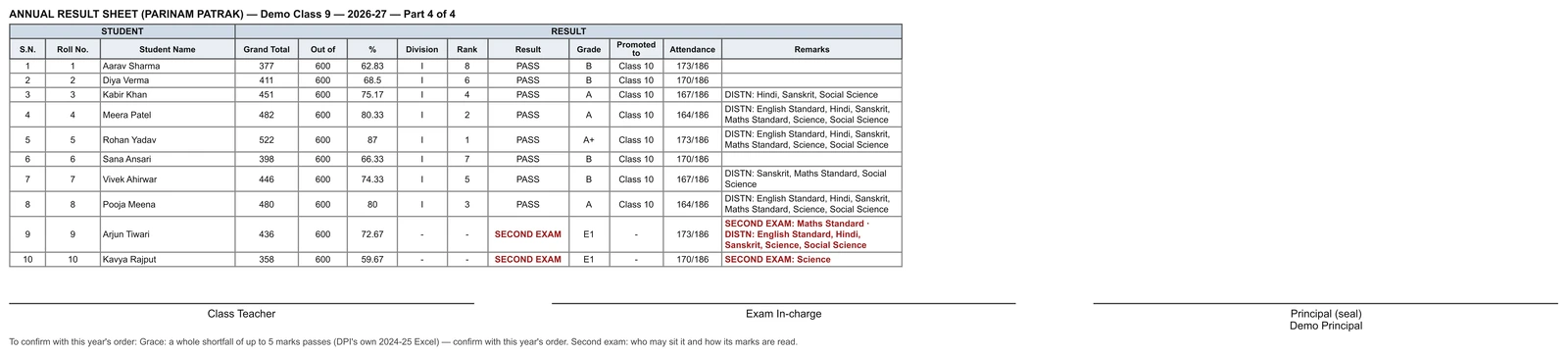
The result sheet is wider than any paper, so it prints in parts on legal paper, each part again with the serial number, roll number and name. This is the demo class’s patrak, all four parts.

The same patrak as an Excel file
One file with every sheet: the patrak on one long sheet with S.N., roll number and name frozen, then the summary, merit list, notice board list, second exam list and the fail, distinction and promotion lists. Pick a sheet at the bottom.
Opening the file…
Marksheets
Exam Management keeps every exam of the year. Marks go in once, and the marksheets come out for the whole class.
- Marks typed or pasted from Excel, theory and project apart, each checked against its maximum.
- Every child’s total, percentage, grade, division, rank and result, exam by exam and for the year.
- Ready designs, each shown with your school’s name before you add it, in one press.
- Or your own marksheet: upload the Word file you already use, and the fields are placed on it for you.
- One PDF for the whole class or one child, or a Word copy to change.
A marksheet in the Classic design
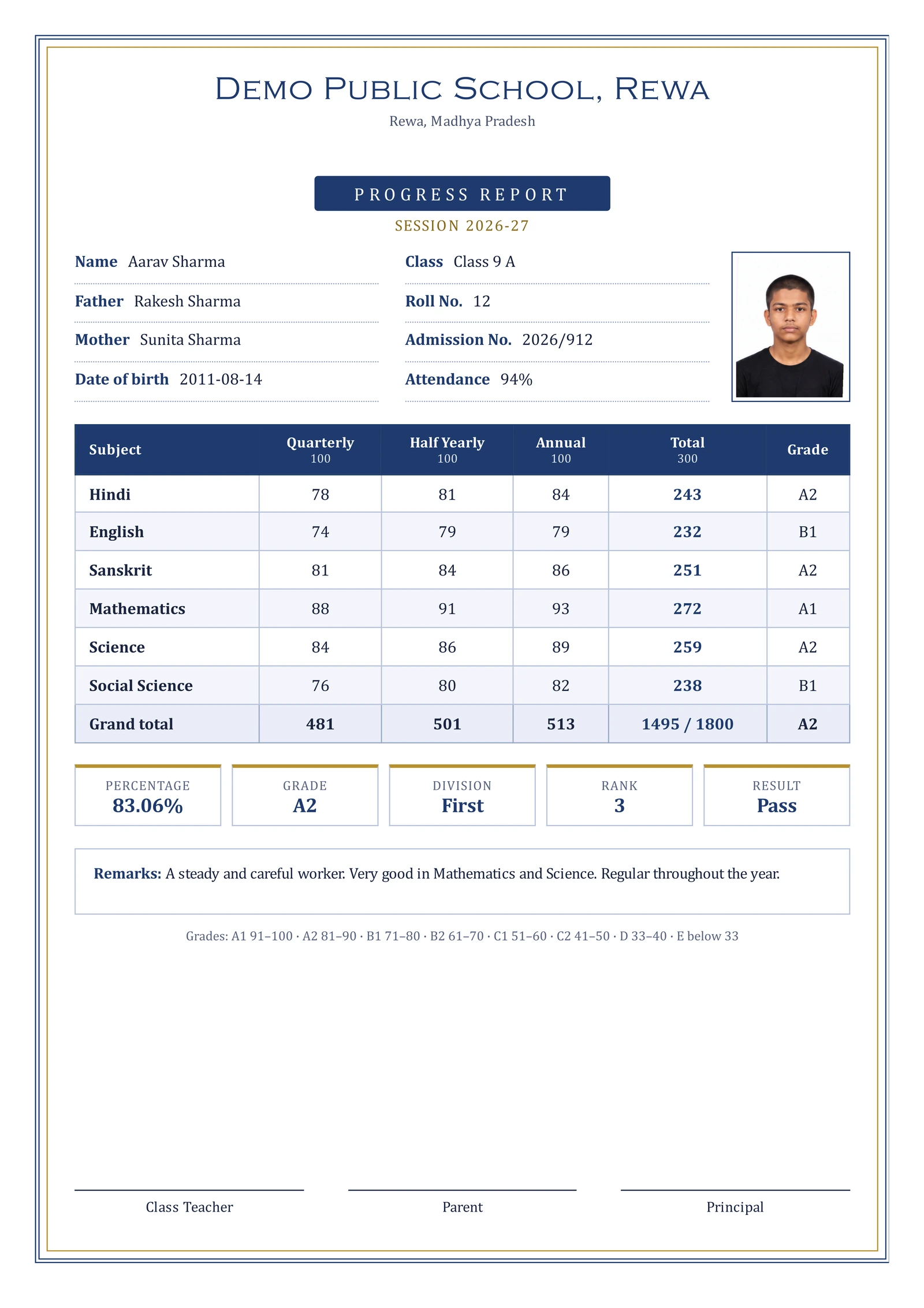 The Classic design
What goes in
Each exam’s marks, typed or pasted from Excel, every mark checked against its maximum as it goes in.
What comes out
Every child’s total, percentage, grade, division, rank and result for the year, and the class’s marksheets in one PDF.
- Ready designs, each shown with the school’s own name before it is used. Or the school’s own marksheet, from the Word file it already has.
- No AI is used in making a marksheet.
ID cards
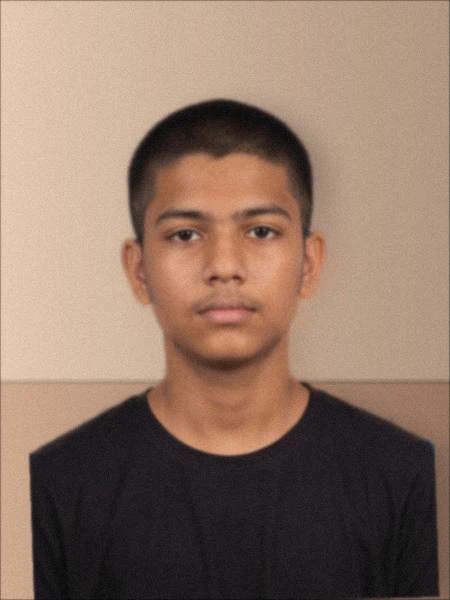
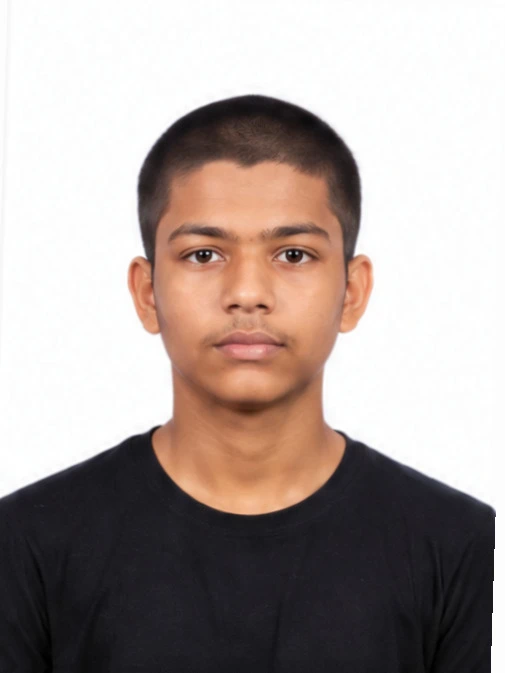
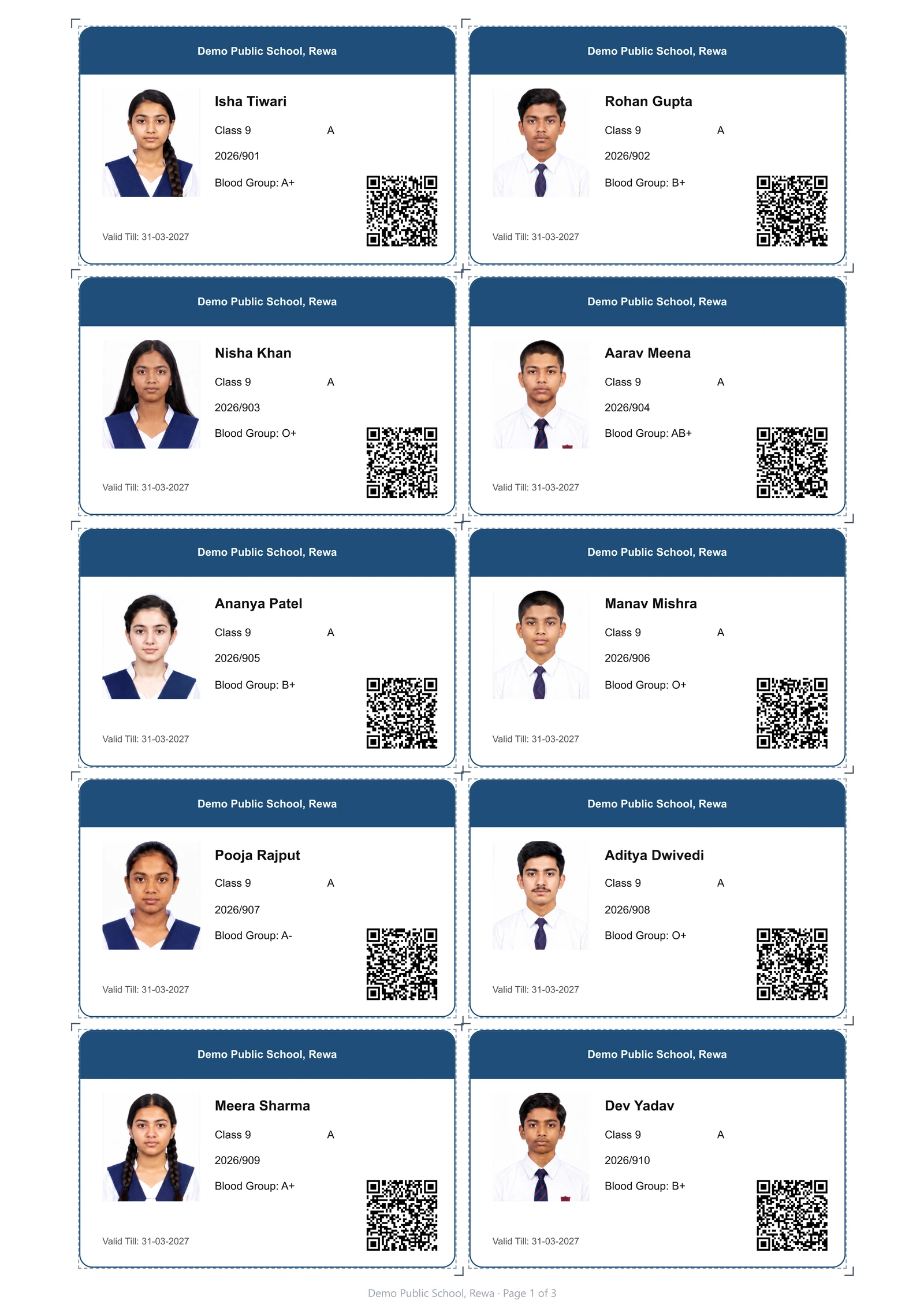
Upload the class photos as they are, and print the whole class at once.
- The background of each photo is cleaned, and the photo framed and brightened like a passport photo.
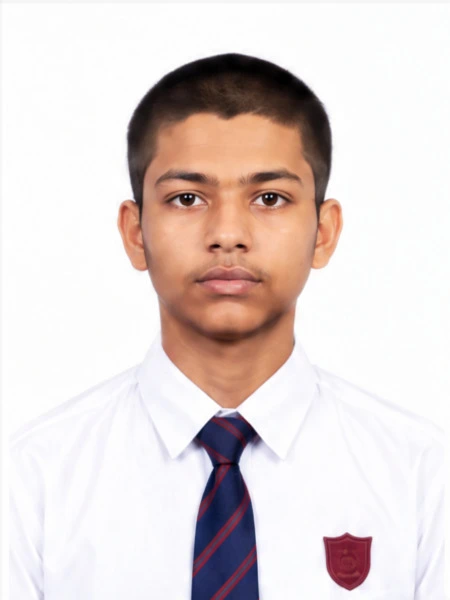
- Smart Uniform puts your school’s uniform on a student’s photo, if you want it.
- Every card carries a QR code that anyone can scan to check the card is genuine.
- The card design is yours to change.
- Photo cleaning and Smart Uniform use AI and are paid from your school’s AI balance.
Class 9’s photos, cleaned and dressed
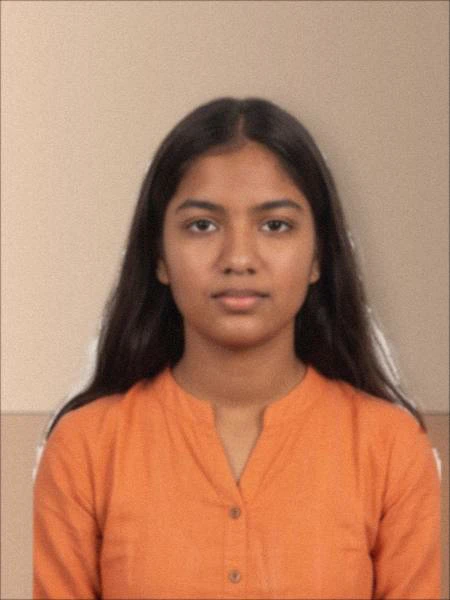 Phone photo
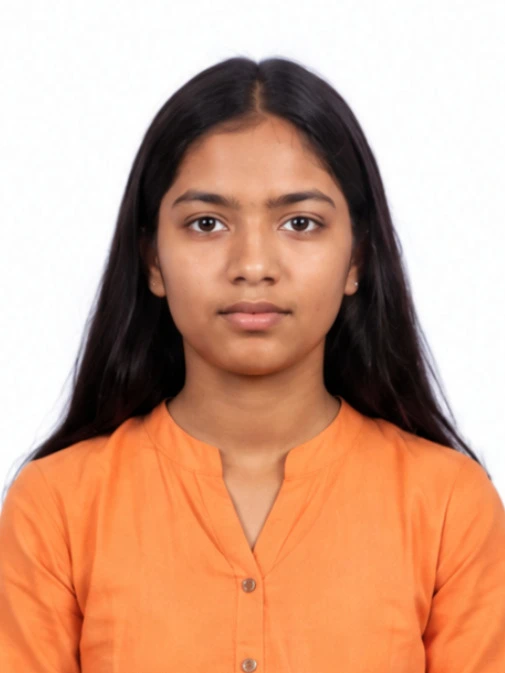 Cleaned
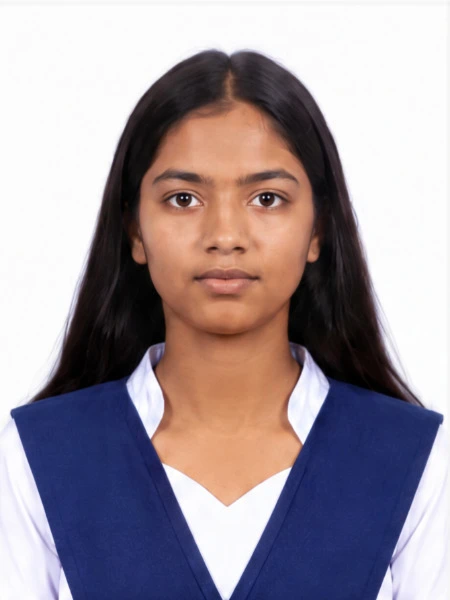 In the school’s uniform
What goes in
The class’s photos as the school has them: phone photos against a classroom wall, some children in their own clothes.
What comes out
A clean photo for every child, the school uniform on those who were not wearing it, and the class’s cards eight to an A4 sheet.
- ₹58.70 of AI for the class of 24, cleaning and dressing together.
- Dressed for the card only: the real photo stays on the child’s record, the marksheet and the TC.
The rest of the office
Students
Admissions, profiles, promotion, documents and ID cards, kept in one record for each student.
Attendance
Attendance marked for a whole class at once, leave records, and a note to the family on the same day when a child is absent.
Fees
Fee structures, invoices, discounts, scholarships and automatic receipts.
Exams and marks
Terms, grade systems, pass and fail rules, exam dates and mark entry.
Results and report cards
Results with grades and ranks, and report cards that students and parents can see.
Staff
Staff records, teaching assignments, leave approvals and salaries.
Transport
Bus routes, stops and vehicles, with the list of students on each route.
Hostel
Rooms and room allotment for boarding schools.
Library
The book catalogue, issue and return, linked to each student’s record.
Works on every phone
The same screens work on a phone, a tablet or a computer. There is no app to install.
For parents
Parents track attendance, marks, fees and notices for every child from one login.
For teachers
Marks, attendance, homework, timetable and class performance for every teacher.
For the accountant
Double-entry accounts, salaries, expenses and reports.
For the principal
School-wide academics, staff, exams, communication and approvals in one view.
Where AI is used
Only for jobs ordinary code cannot do, only when someone at the school starts them, and paid from the school’s own AI balance, recharged by UPI from ₹100. If the AI service is down, everything else keeps working.
The handwritten paper under Question papers is one such job, shown with its price and its bill.
| No AI | Uses AI, only when you ask |
|---|---|
| Papers from the textbook’s own exercises | Reading a photographed question paper |
| Exam Cell: time table, seating, duties and every print | Writing new questions from a chapter, when you ask for them |
| Parinam Patrak, marksheets and report cards | Cleaning ID card photos |
| Fees, receipts and accounts | Smart Uniform on a student’s photo |
| Attendance, admissions and student records | |
| The paper editor and Word downloads |
Try it with your own school for 14 days. No card is needed.